¶ Yes, we have multi-room.
The number of channels viewed simultaneously (sessions) is multiple of two, that is, you can select only an even number of available channels - 4, 6, 8, 10, etc. (you can't choose 3, 5, or 9) in your personal account. By default, simultaneous viewing of two channels (on one or two devices) is allowed.
The formula for calculating the cost is as follows - the number of authorized channels / 2 * the base cost of the package (the base cost of the package is the default package cost (i.e., for 2 channels)).
The IP address is not important, one viewing device can be in your city, and the second in another part of the globe, but in this case, you will surely face difficulties with choosing the optimal server for different locations.
If you have already bought a package (subscription), and then decided to increase (or decrease) the number of authorized channels, then you can do it yourself in your personal account. The price of the package with a larger number of channels will be higher, for example, a package for 4 sessions costs twice as much as a package for 2 sessions (for 6 it's three times more, for 8 it's four times more, etc.). Or you can add a sub-user and purchase a package for it, from the sub-user's playlist you can simultaneously watch 2 more channels on your other devices. The price is the same, but the second variant (with the addition of a sub-user) is more convenient – you can connect different packages, for example, a TV package for children's room and packages for your TVs (can contain channels for adults). Or a package with the addition of the optional "Sport" package and a package without it.
You can see and choose how many channels are allowed for simultaneous viewing in your personal account under the Packages(1) section, where you can also choose the necessary number of channels or change it(2).
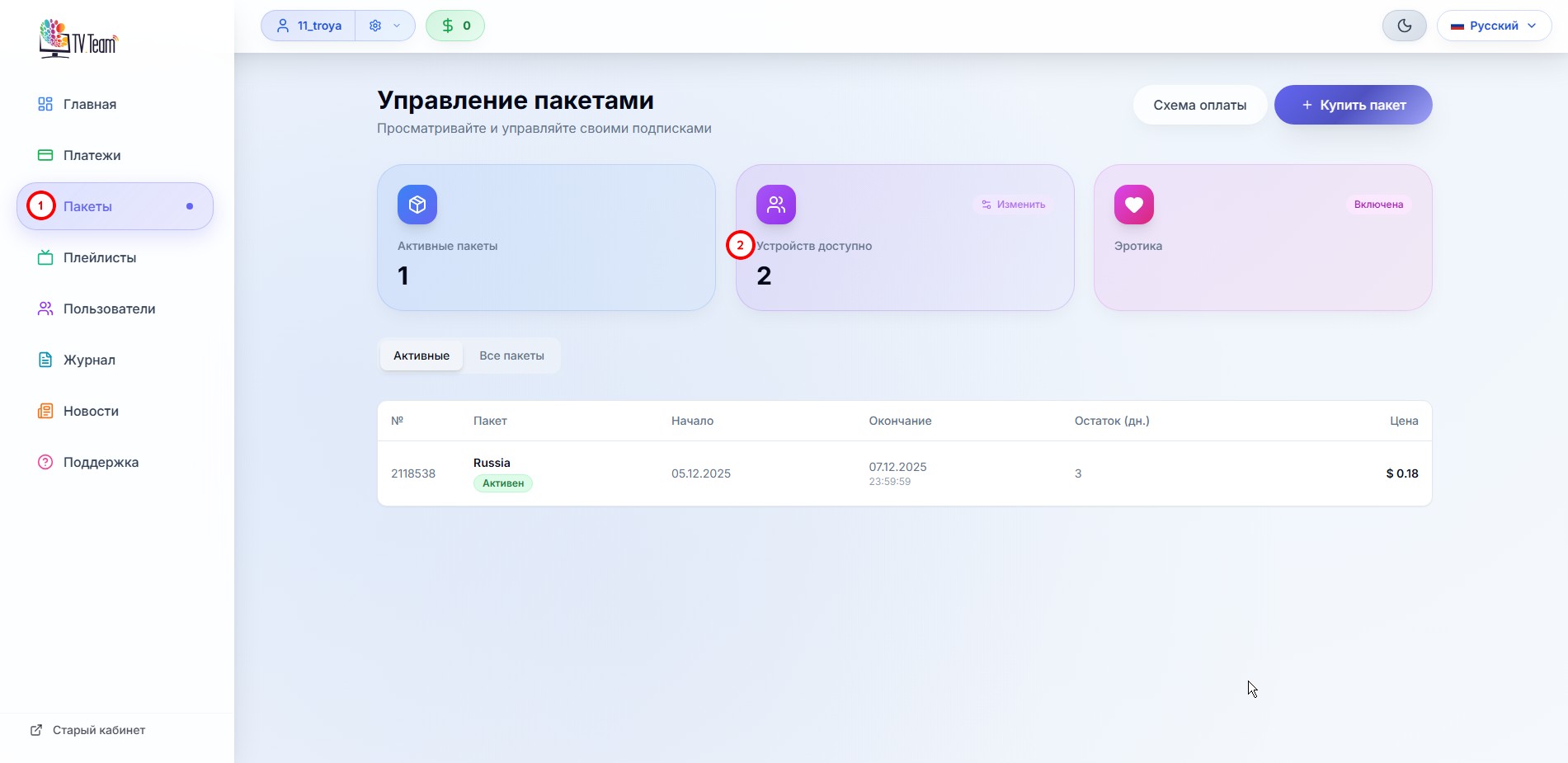
Remember, by default, you can view 2 channels simultaneously.
No need to press any button to save changes, the new field values are saved automatically. The confirmation of save is notified by the information window appearing in the top right
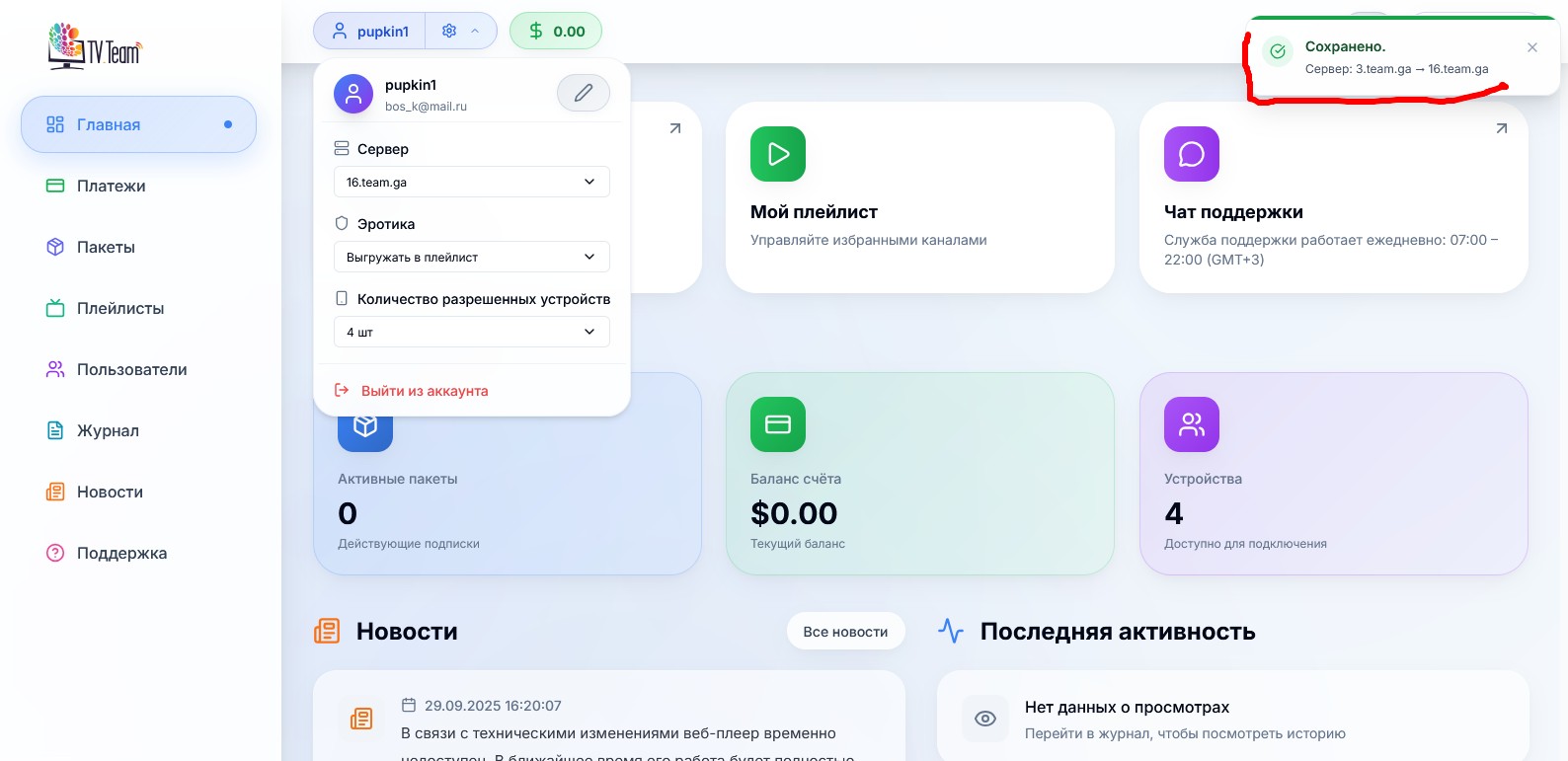
If you need to watch, for example, five channels (sessions) simultaneously, then you select 6 available channels. You can watch up to 6 channels at a time.
ATTENTION! The web player is also considered a viewing device, and if you have started watching at home, someone from your family is watching in the country house, and you also start web viewing, then this will already be three channels viewed simultaneously and you will get a viewing ban, an informational video will start. You can see this information in your personal account under the "Journal-Work Log" section, and in the "Journal-View Log" section you can see the sessions (channels) that you violated.
The view will resume when you disconnect the extra channel.
ATTENTION! On many devices, if you don't turn off the player and turn off the device with the remote control button in standby mode, the player remains working, and if you, thinking that you have disabled viewing on this device, start watching two more channels, you will get a ban.
Also, many devices tend to turn on in operating mode when the electricity goes off and on, so don't forget to completely cut off power to such devices, if you're leaving your house or country house for a long time.