If you need to send a private message to one of the users in the chat, find that user in the chat and click on their avatar or username.
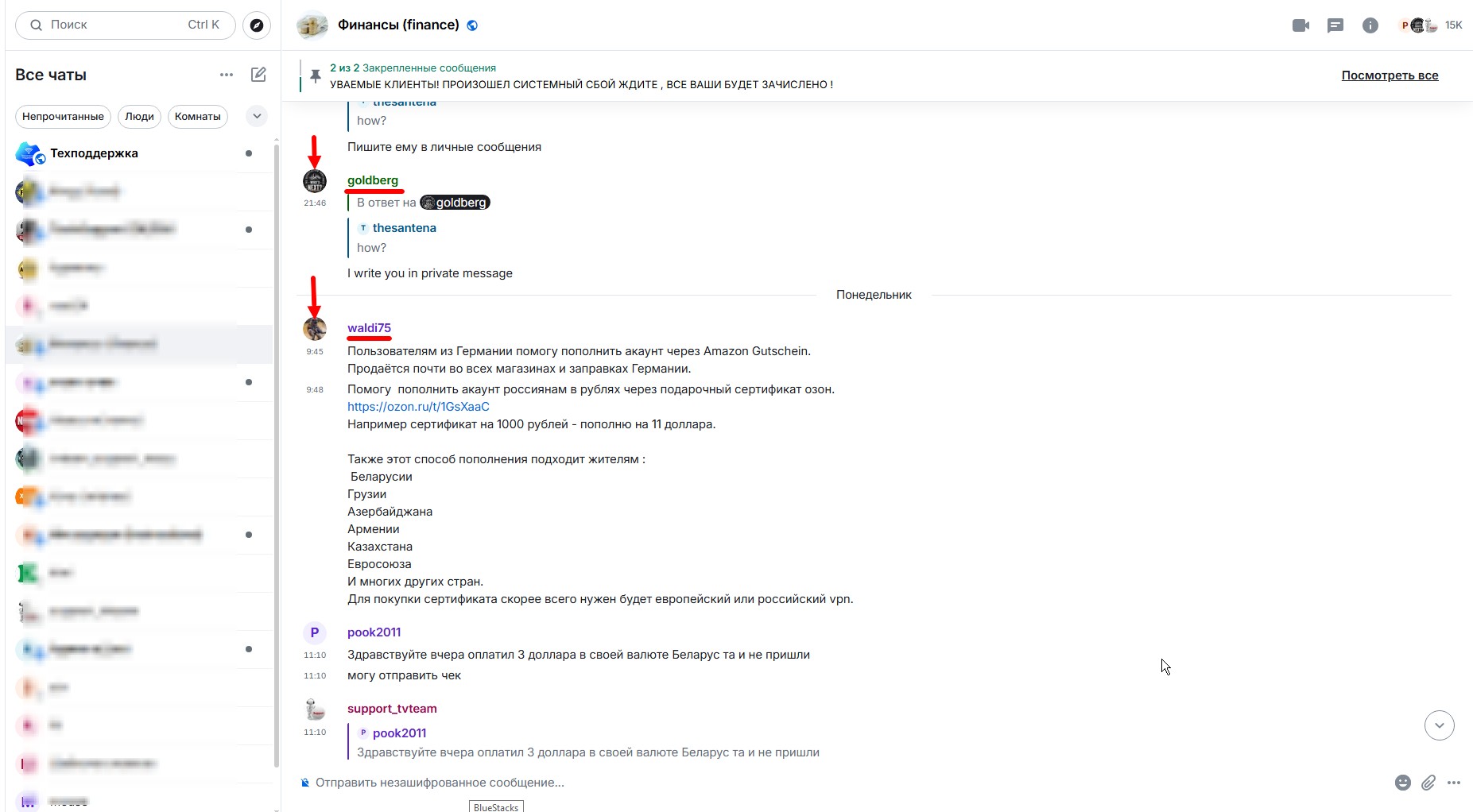
If you click on the username, it will be copied to the beginning of your message; click on it there once more.
The avatar icon is available for everyone, even if you didn’t specifically fill out this field, the messenger system will assign one for you.
A window with information about the selected user will open on the right side of the chat window.
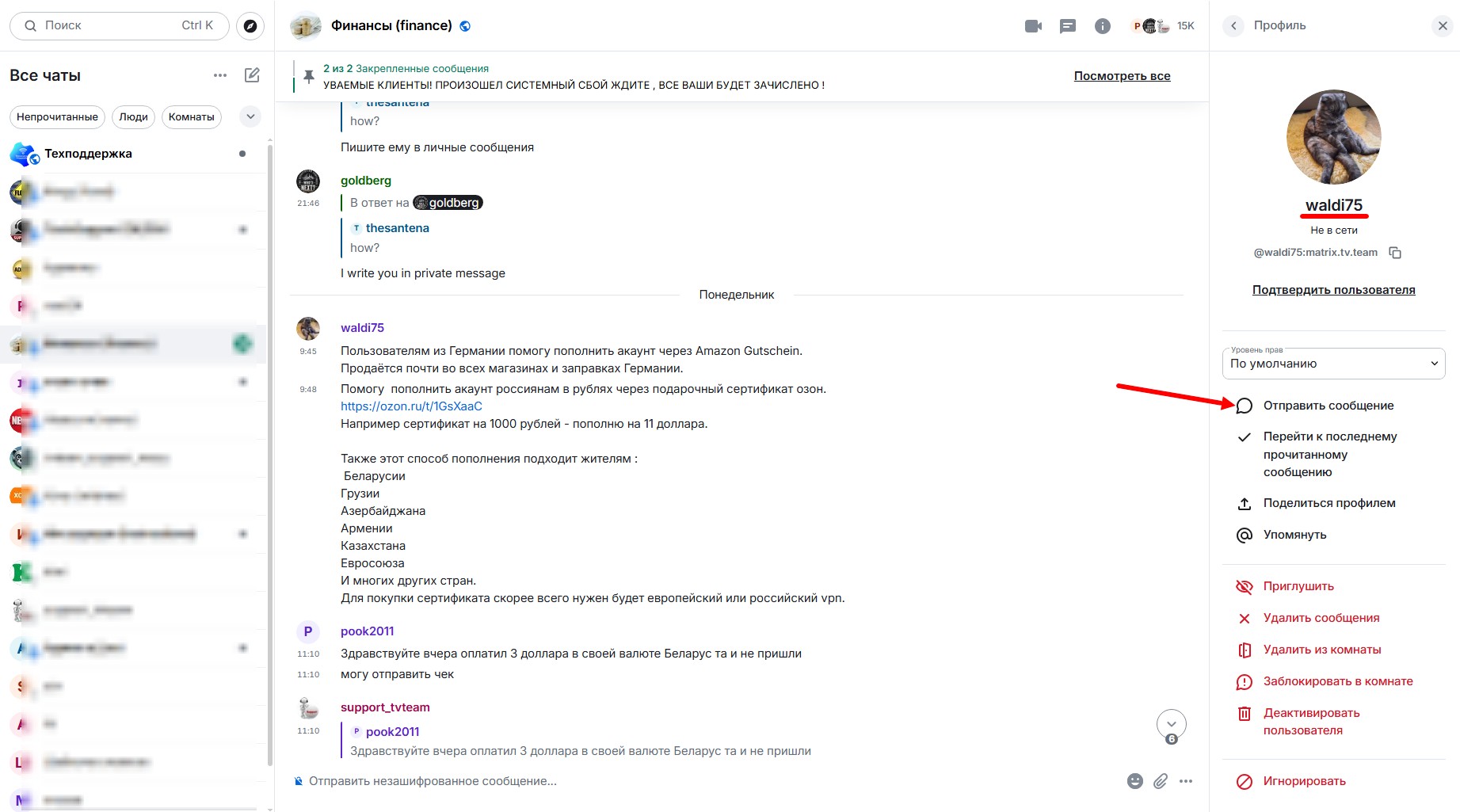
There, you need to click the Send Message button (on smartphones it is Private Message).
A personal communication window with the selected user (private chat) will open
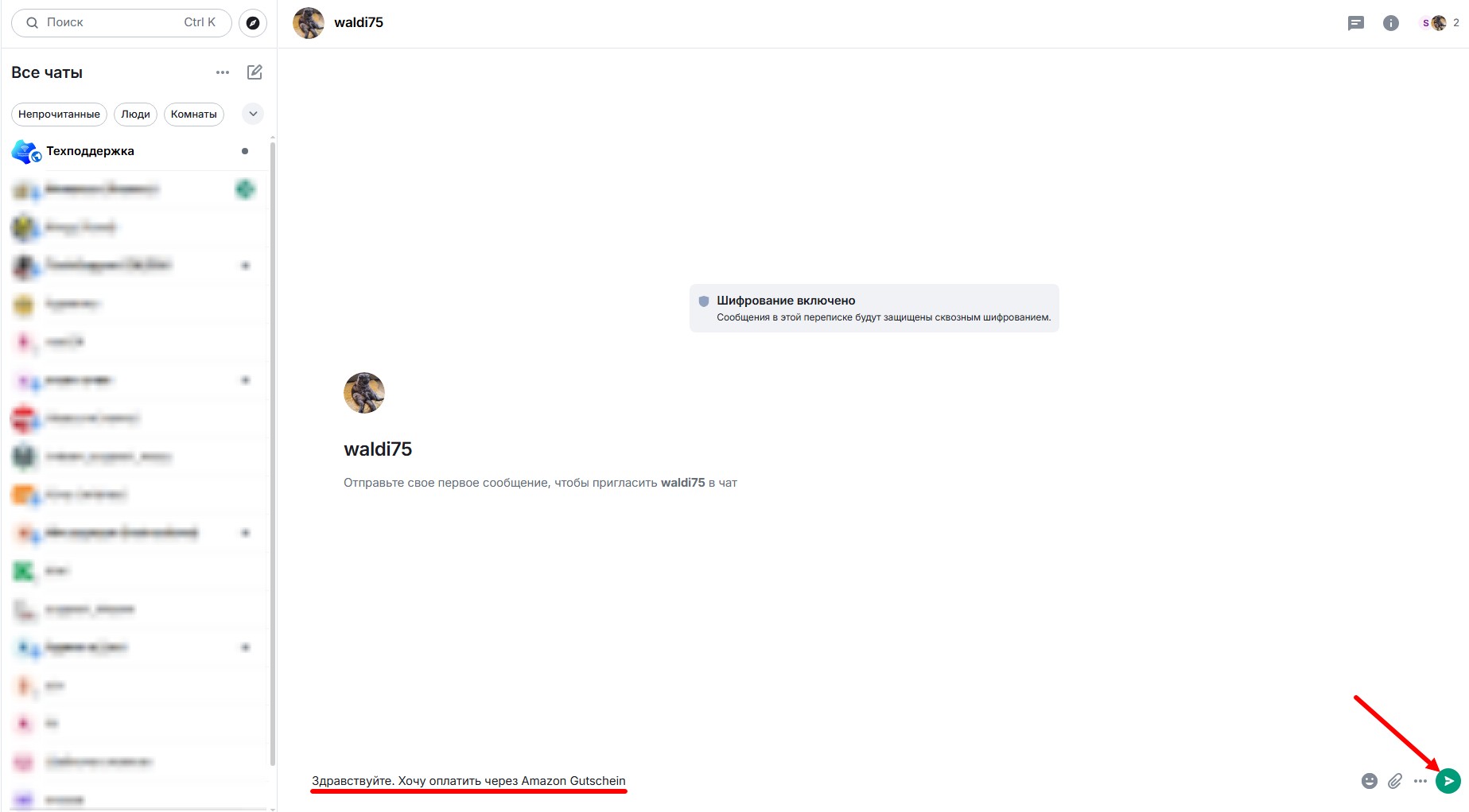
in which you can send a private message to the chosen user and receive replies from them.
Only you and the selected user will see these messages.
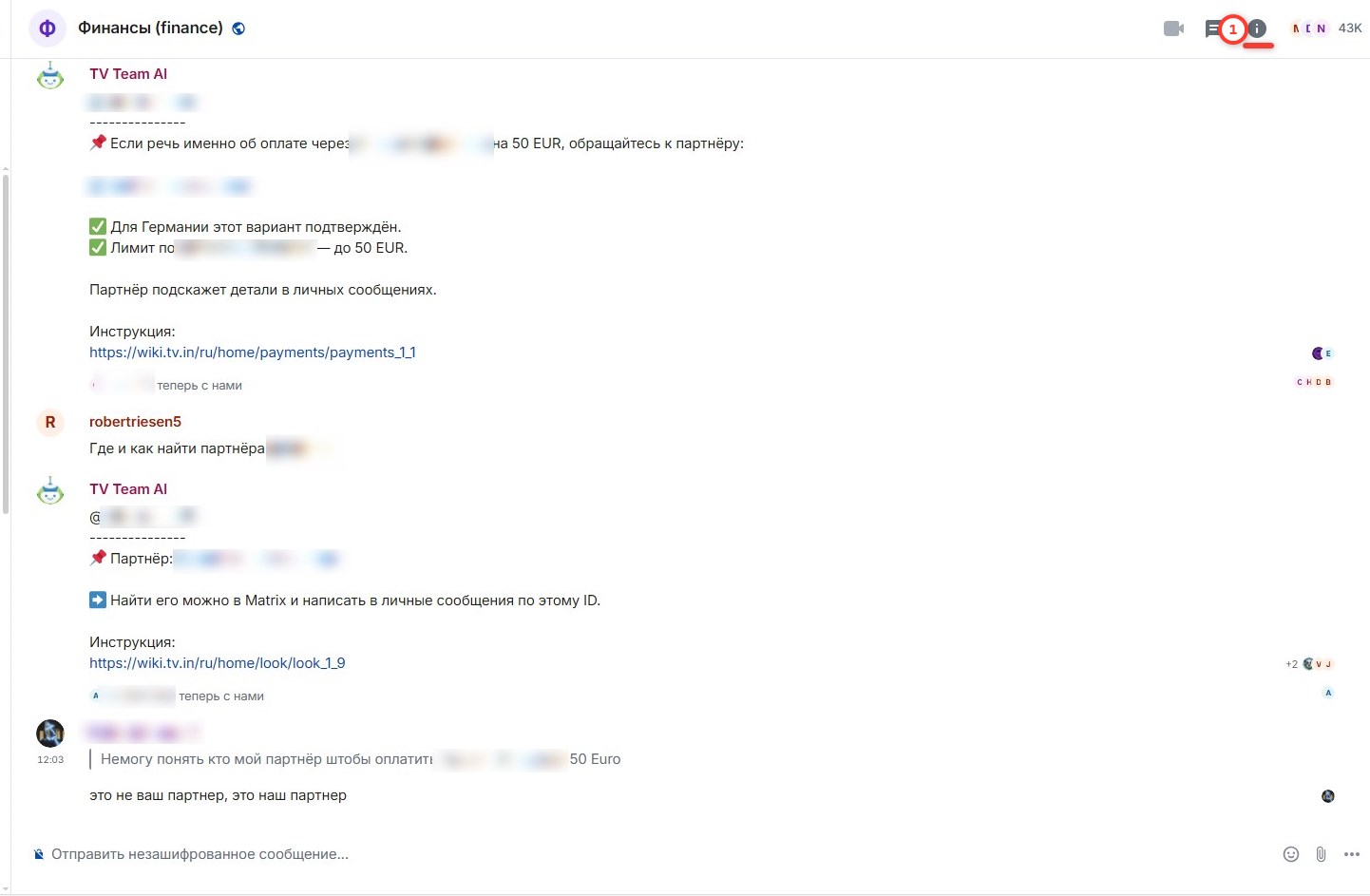
If you do not see messages from the user in the chat, take the following steps – in the upper right corner of the chat window, click the i button (1)
On the right, the room menu window will open; select the People button in this menu (2)
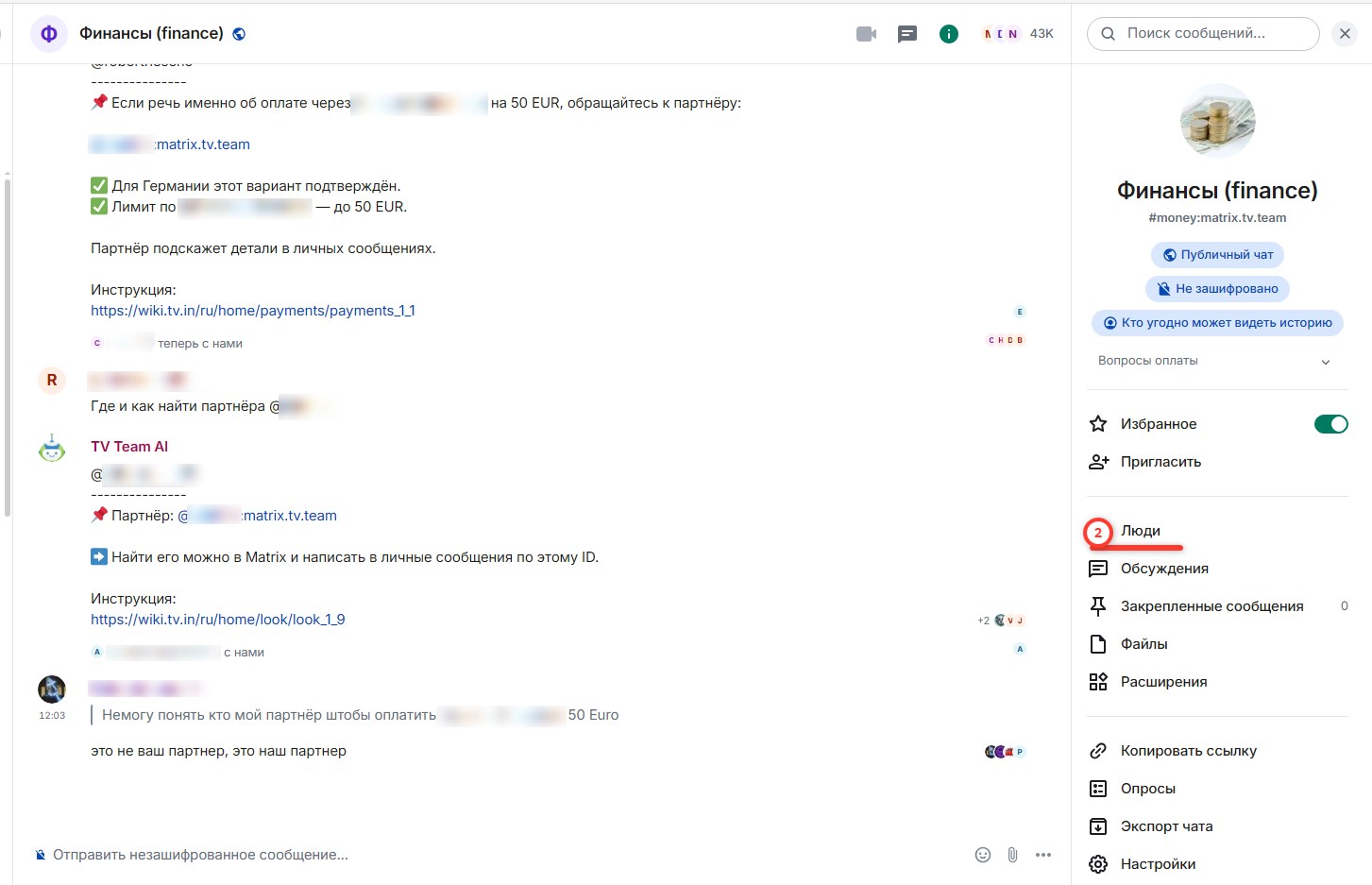
To the right, a window with the list of chat participants and a search box for them will open (3)
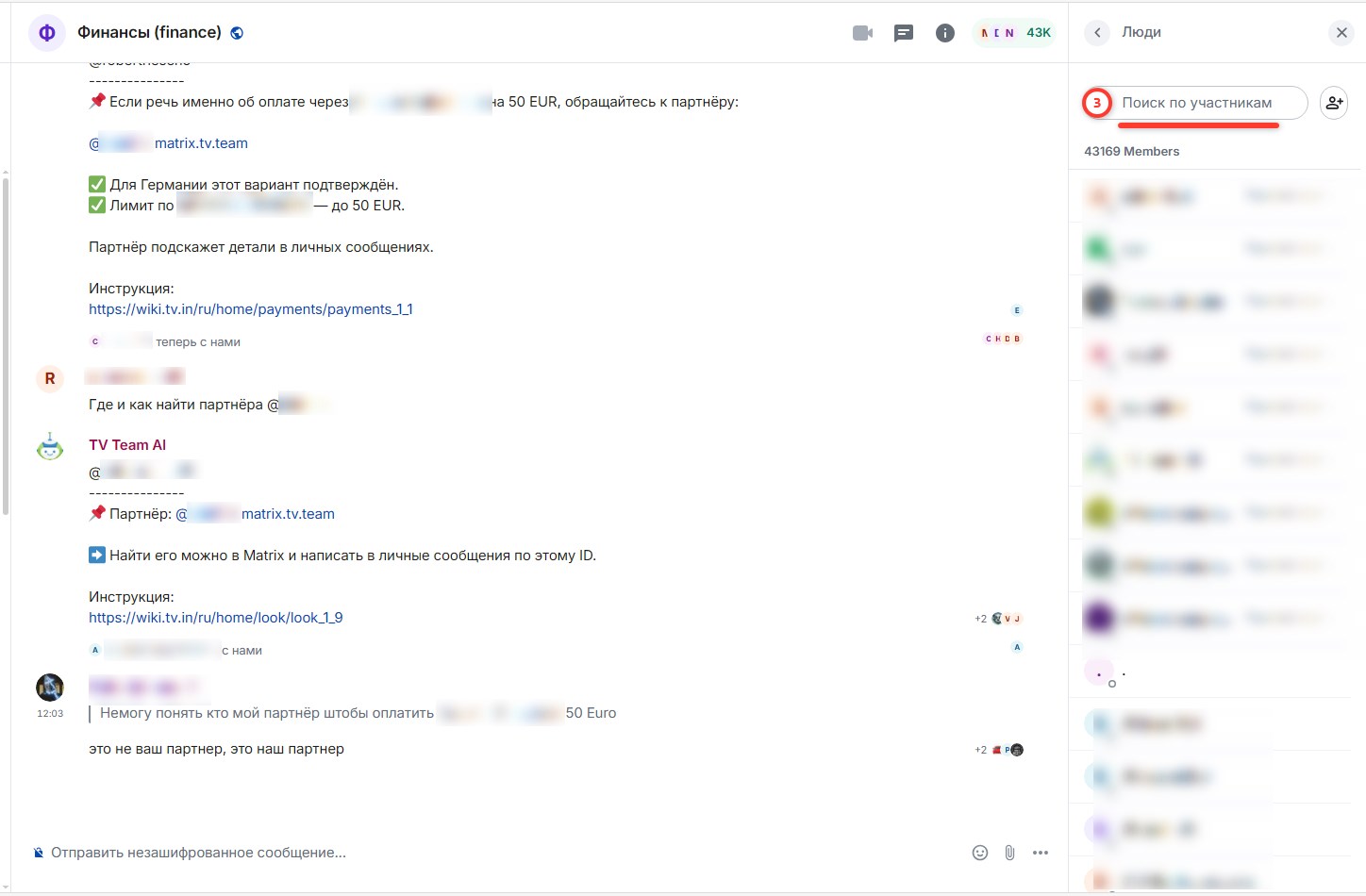
Enter the participant’s username into this window (3), and the system will instantly select the required username from the participant list for you (4)
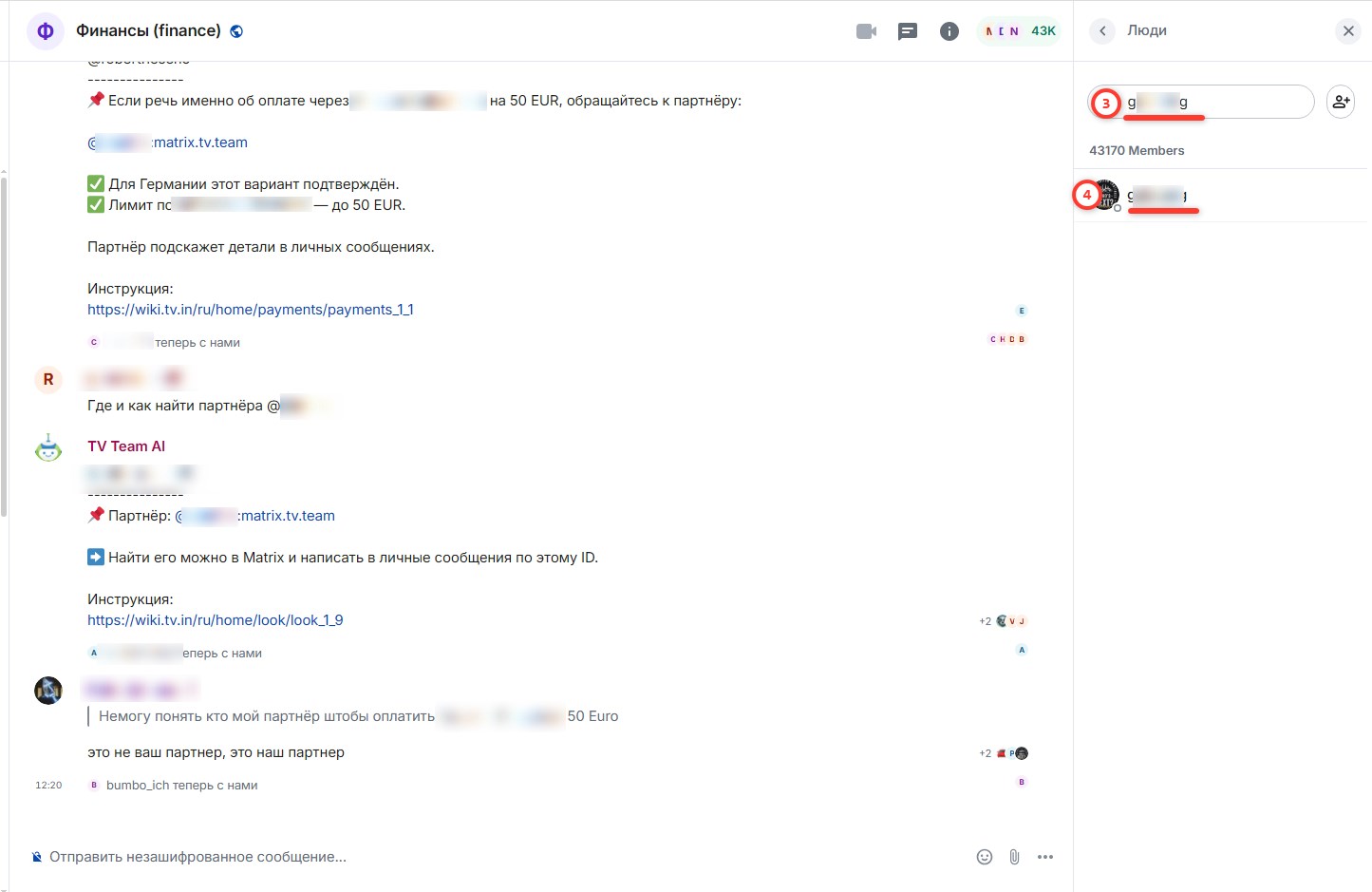
Click on this username (4) and the profile of the required user will open, where you need to click the Send Message button (5)
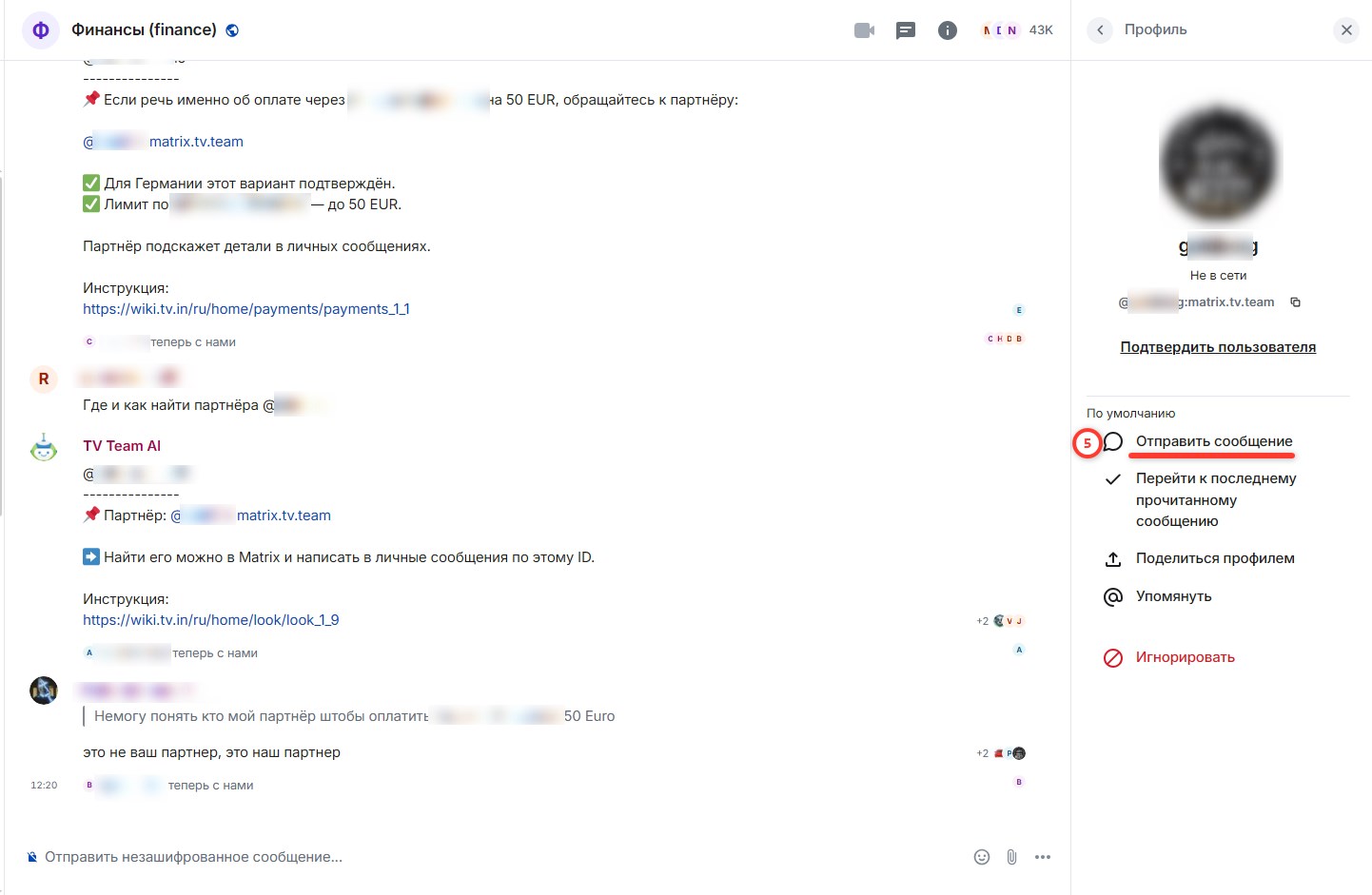
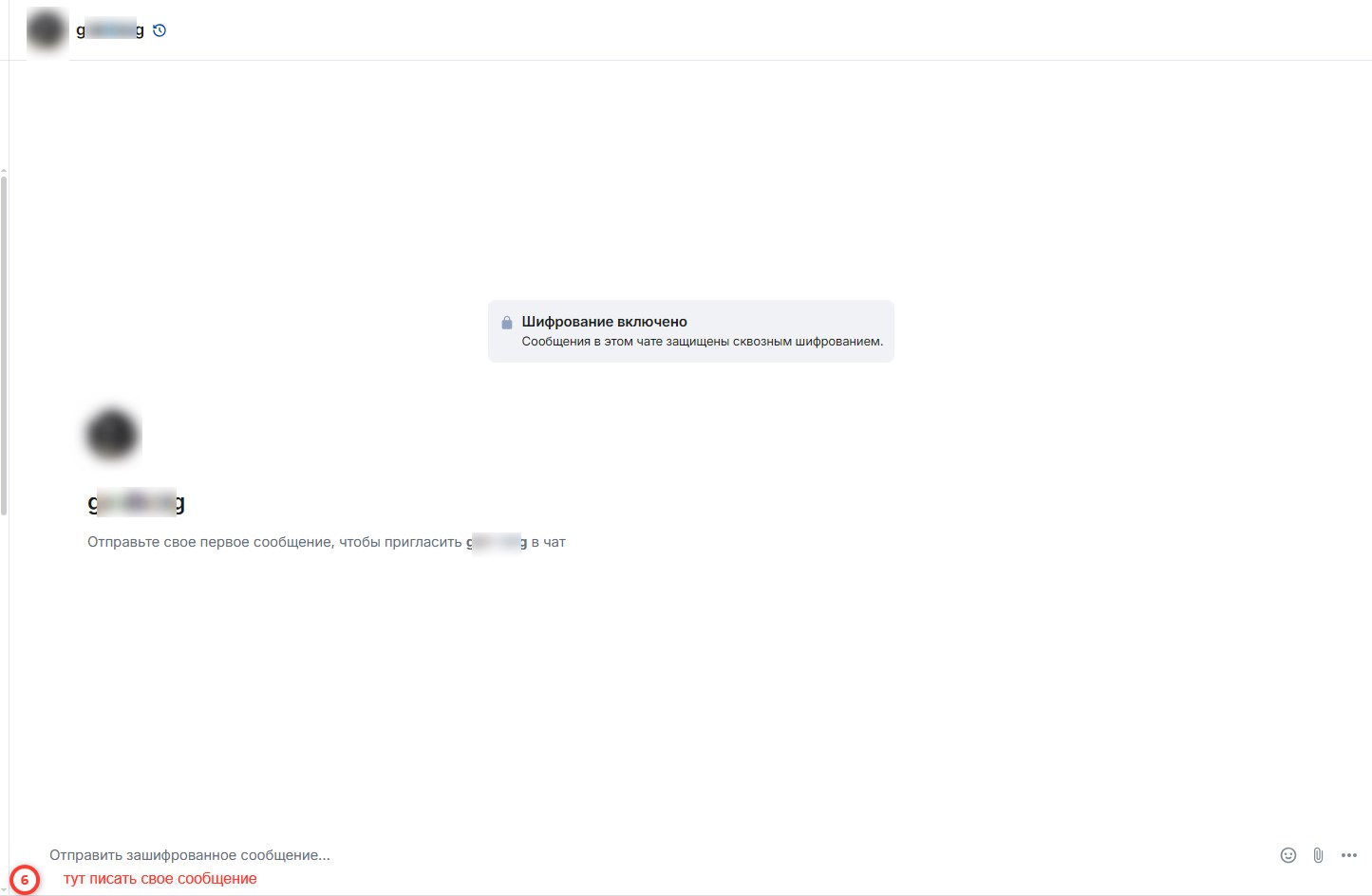
A private message window with the selected user will open, you need to write them a message (6), thus inviting them to private communication with you
Sometimes situations occur where you have received a reply from the selected user but cannot read it because the reply contains some unclear information. In this case, exit the chat and enter again; everything should normalize.