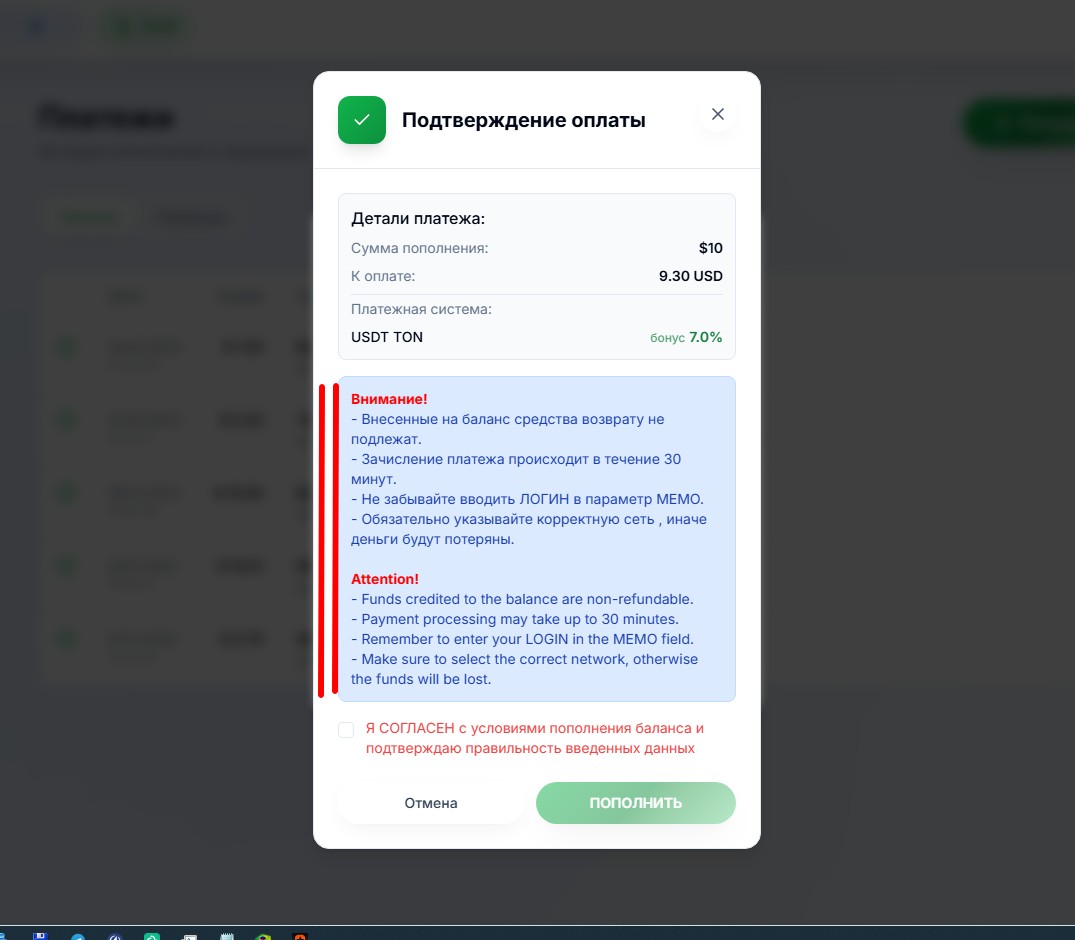
Firstly, you should wait 30 minutes after making a payment. Many people overlook this condition, even though they agree to it by ticking a box.
When paying through StreamPay, you must wait 1 hour!
Secondly, remember if you had auto-renewal for your channel subscription or delayed purchase of a channel package enabled. Perhaps, the money was deposited and withdrawn for this service. Check the log of your operations in the personal area, in the Journal section.
Thirdly, when contacting support, be sure to specify the payment system (payment aggregator) through which you made the payment (which you selected in your personal area)!!! We do not have telepaths, psychics, witches, wizards and clairvoyants, so we cannot know which of the dozen aggregators you chose.
Fourthly, if you have more than one account on our project, check the deposit of money to the balance of those accounts, which you logged into on the day of payment and immediately before making the payment. Such cases often occur when one forgets to log out of one account and log in to another, makes a payment, and then waits for money on the other account, although it is already on the first one.
If half an hour has passed, but the money has not arrived and you have checked everything indicated above, then:
- if the payment was made through TON or USDT TON, then write to our chat or to our support through the personal area Support section, provide a link to the blockchain payment, if you paid through the @Wallet bot, then this link will be labelled as "Open in explorer" (View in Blockchain Explorer (English version)) in your payment history; or provide the HASH number (TxID) of the payment;
- if the payment was made through Cryptomus, then write to our chat or to our support through the personal area Support section, provide detailed payment data, including a link to the blockchain payment or the HASH number (TxID) of the payment indicating the currency/network;
- if the payment was made through StreamPay, OVERPAY, Horizon, ParityPay or another payment aggregator not mentioned in this guide, then write to our chat or to our support through our personal area Support section, provide the payment receipt in pdf format; we will resolve the issue with these aggregators ourselves;
- if the payment was made through B2pay, then write to our chat or to our support through the personal area Support section (preferably), provide:
<> a link to the payment page or the invoice number (token) of the payment - this is important!
<> a bank statement of this transaction
<> if you made a mistake and refreshed the page several times, which seemed to be stuck to you (each page refresh is equivalent to clicking the Pay button), without waiting for the first payment button click to process and the amount was debited from your card account several times, also provide a bank statement with a period from the day of payment to the day of providing the statement. Since the statement contains confidential information, write a request not in the chat, but to support through the personal area.
If you have already closed the payment page, look for it in your browser's visit history, the page looks like this:
- for B2pay_Old https://payment.b2pay.now/checkout-page/status/f00c42d0-80fb-11f0-a502-bc24113fded3 (where f00c42d0-80fb-11f0-a502-bc24113fded3 is the payment token).
- for B2pay_New https://app.b2pay.online/payment/ea163ba5-4eb5-4469-b191-ea08ff51a6cd (where ea163ba5-4eb5-4469-b191-ea08ff51a6cd is the payment token).
ATTENTION!!! These links and payment tokens are provided as examples, you will have your own payment token, do not provide us with the token or link from the example of this guide!
- in all other cases (if you paid through AnyPay.io, Plisio) write a message to the payment aggregator support (contact links below), through which you made a payment with approximately the following content:
Hi. Please check my payment of such-and-such date and such-and-such time. I made the payment in such a way. Thank you. ("such-and-such", "such" - of course instead of them you should specify your date, time and method of payment). If you can attach a receipt to the message, attach it, if not, the aggregator support will request a receipt from you, usually in the form of a screenshot, but possibly also in pdf format.
Then wait for a reply from the support, it may be delayed. Check your spam folder periodically if your request was via email.
The receipt is required to resolve payment-related issues!!!
¶ Payment aggregator support links:
¶ 1) Support for the AnyPay.io aggregator
Form for requests:
https://anypay.io/support;
¶ 2) Support for the Plisio aggregator
Send an email to support@plisio.net to the aggregator, be sure to provide detailed payment data, including a link to the blockchain payment or the HASH number (TxID) of the payment indicating the currency/network.
Wait for a response from the aggregator, don't forget to check your spam folder in your email.
ATTENTION! Do not forget to check your spam folder in your email, the aggregator's response might end up there. Also, no aggregator requires captcha when writing support, so if you are asked to enter captcha when writing to an aggregator through a form, this is a problem with your browser, open the appeal form in another browser.
Another user wrote that he changed the email subject and it was sent without a captcha request, try it.
If you have not received a response from the aggregator within 24 hours and there is no response in the spam folder in your email, write a message to our support through the personal area section Support (preferably) or in our chat.
Be sure to indicate the date of payment, the payment aggregator through which you paid, and report that you have already written to the aggregator's support and did not receive a response from them or received a response, but they are asking you for something you do not have. The support response will be sent to the email you provided, so make sure that this email is valid and accepts mail from us. Support usually responds within a few hours, if there is no response, try writing again with a different email, possibly your mail is not accepting letters from us. Also check the Spam folder, possibly the support response is there. In their response, support will ask for your receipt and screenshot of the aggregator support response.
To reply to our support, you do not need to open a new ticket through the personal area, reply to the email that you received with our response, in your email.
Frequently asked questions:
- "Why should I write to the aggregator? After all, you provide it."
This question comes up periodically. We answer - because you are the payer, you provided your email when paying, you have all the payment data that the aggregator may request, so don't waste time on such questions - you will have to write anyway.- "What does the aggregator have to do with it? After all, these are your cards/phone number/wallet number."
We answer - you do not pay us directly! That is, all these card numbers, phone numbers, wallets, and their data have nothing to do with us, we do not know who Rasulov Rasul is or who Ivanov Sidor Petrovich is, whose cards the aggregator issues you for payment, and who owns any particular phone number! The payment aggregator acts as an intermediary between your bank and ours. You pay the payment aggregator, not us, whether you've paid the invoice issued in your account or not - only the aggregator can tell. If you have done everything correctly, have not violated the aggregator's terms, have not made a mistake with the figures, then payment is credited automatically within a maximum of 30 minutes. If the payment was not credited - it means you did something wrong, for example, you indicated the amount of 489 rubles instead of 498 rubles, or you paid with old details, or you made a mistake with the card/phone/wallet number, or the aggregator experienced a system failure, but in any case, your money has not come to us and only the payment aggregator can resolve this issue.So write to the aggregator's support as the payer and wait for their response.
p.s. A frequent question is - "How do I send you a file (pdf, screenshot, etc.)?";
One way is to:
1) reply to the email that came to you with our response, attach the file to your email;
2) upload your files to any file exchange, and include a link to this file in your reply.
Examples of file exchanges: https://transfiles.ru / https://postimages.org / https://imgur.com/upload / https://yapx.ru/upload / https://ltdfoto.ru / https://iimg.su