Did you buy a package for 2 channels allowed for simultaneous viewing, but forgot you need to watch 3 (or 4) channels?
Have you purchased a long-term package, but you bought another TV and 2 allowed channels are not enough for you?
Did you watch 3 channels on three devices, but one device broke down and you don't plan to buy a new one yet, so you need to reduce the number of allowed channels to 2?
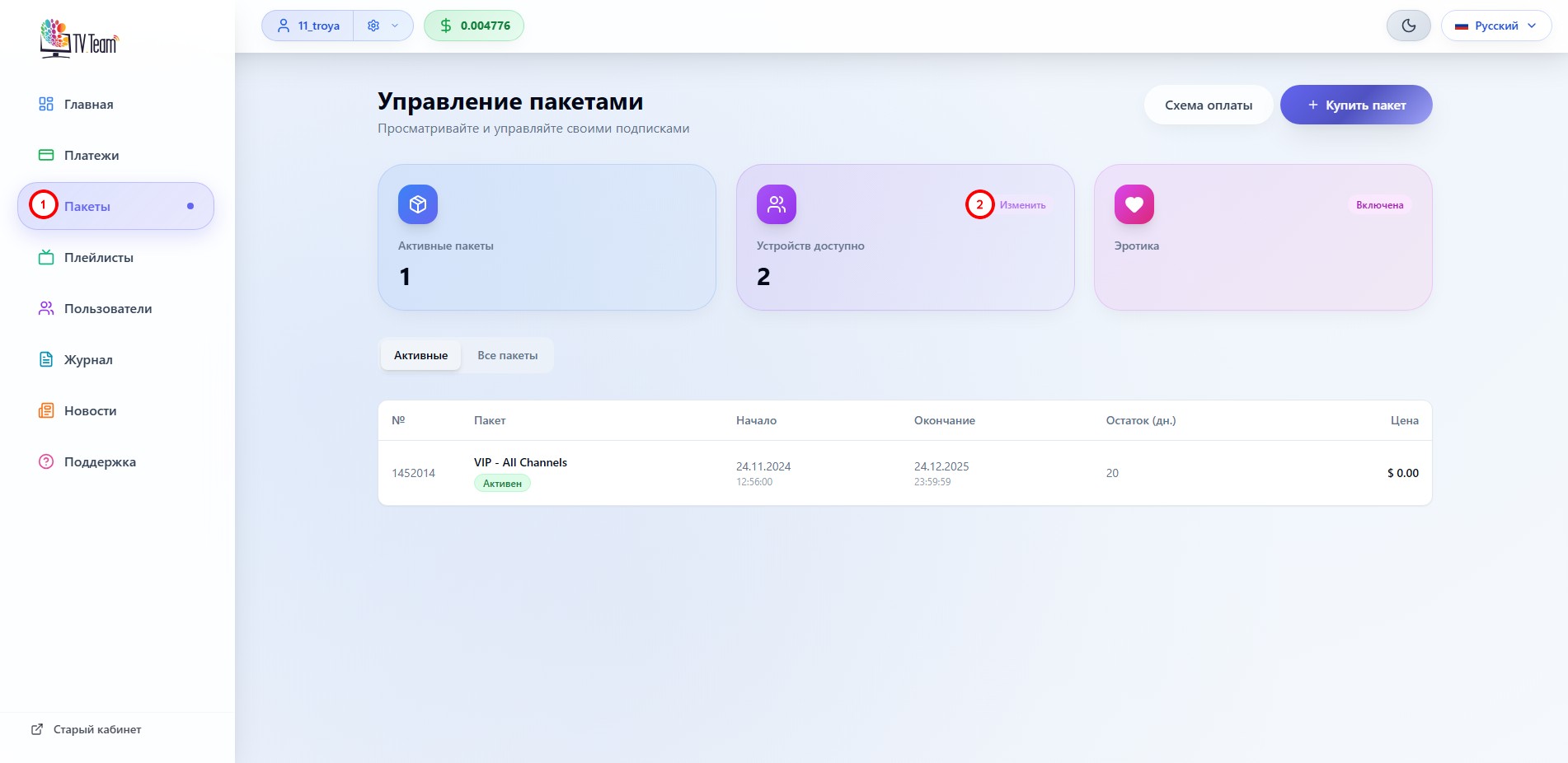
You can independently change the number of channels allowed for simultaneous viewing in your personal dashboard in the Packages(1) section using the Change(2) button.
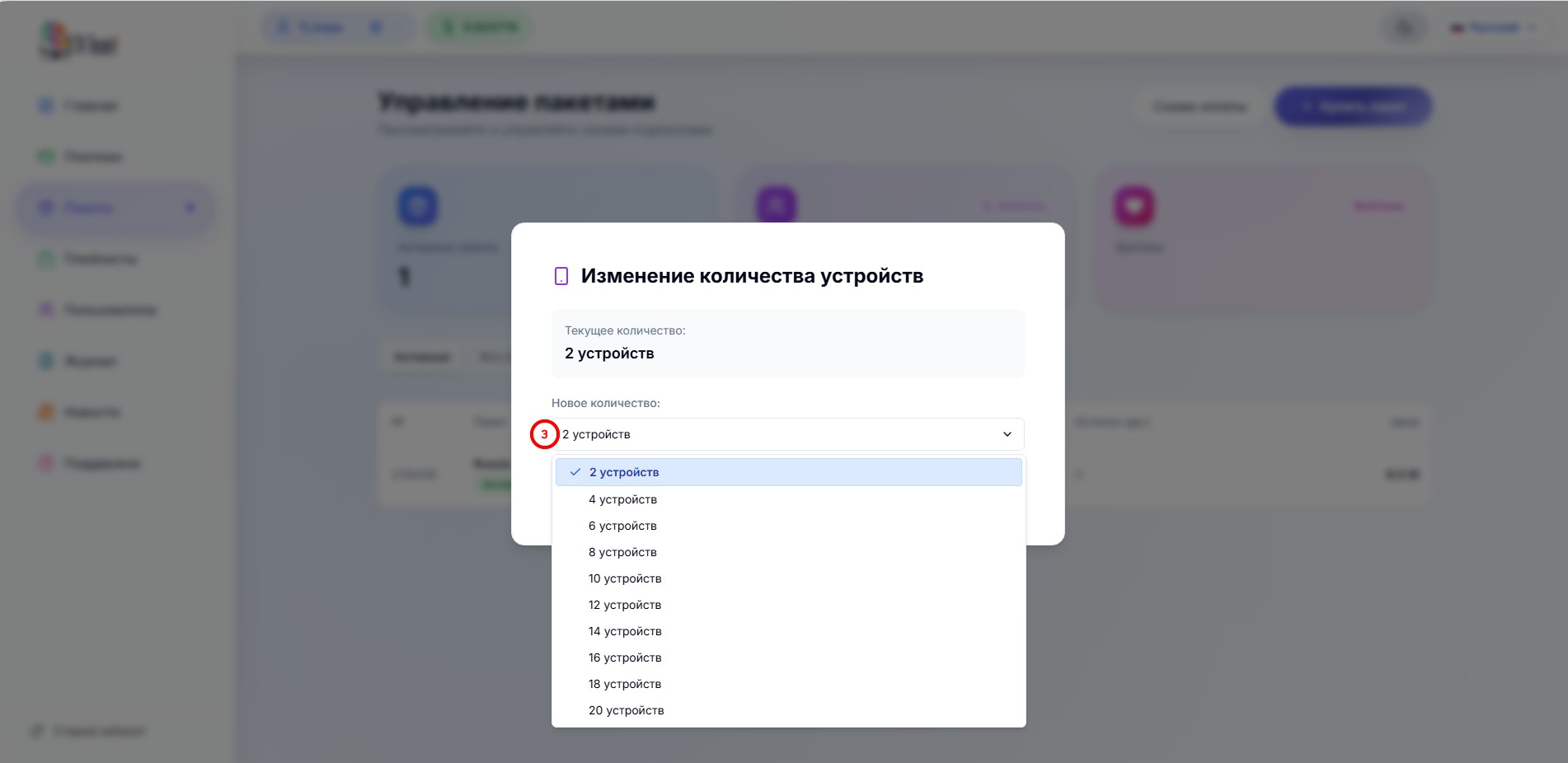
In the appearing window, you need to select the desired number of allowed channels(3)
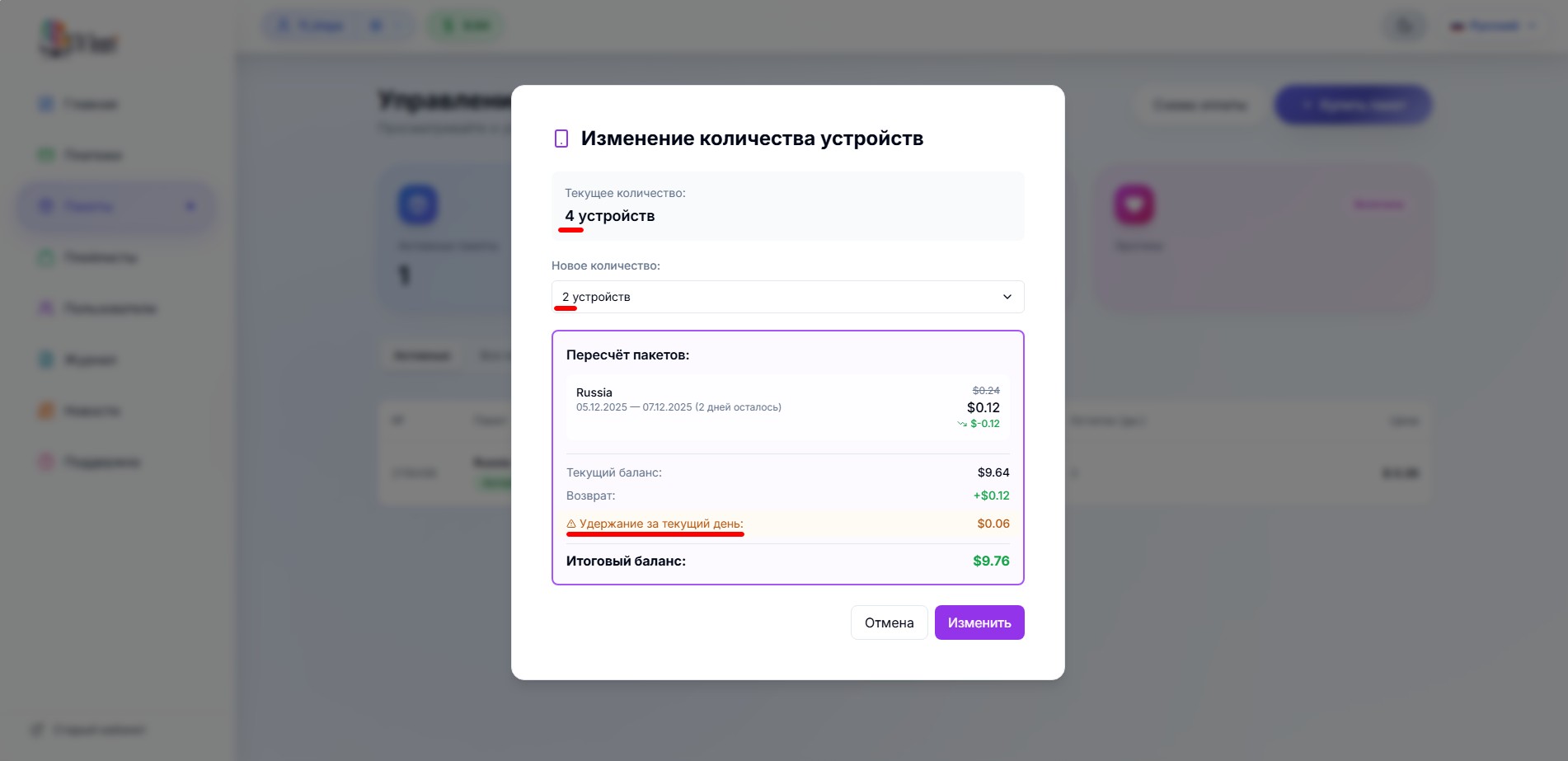
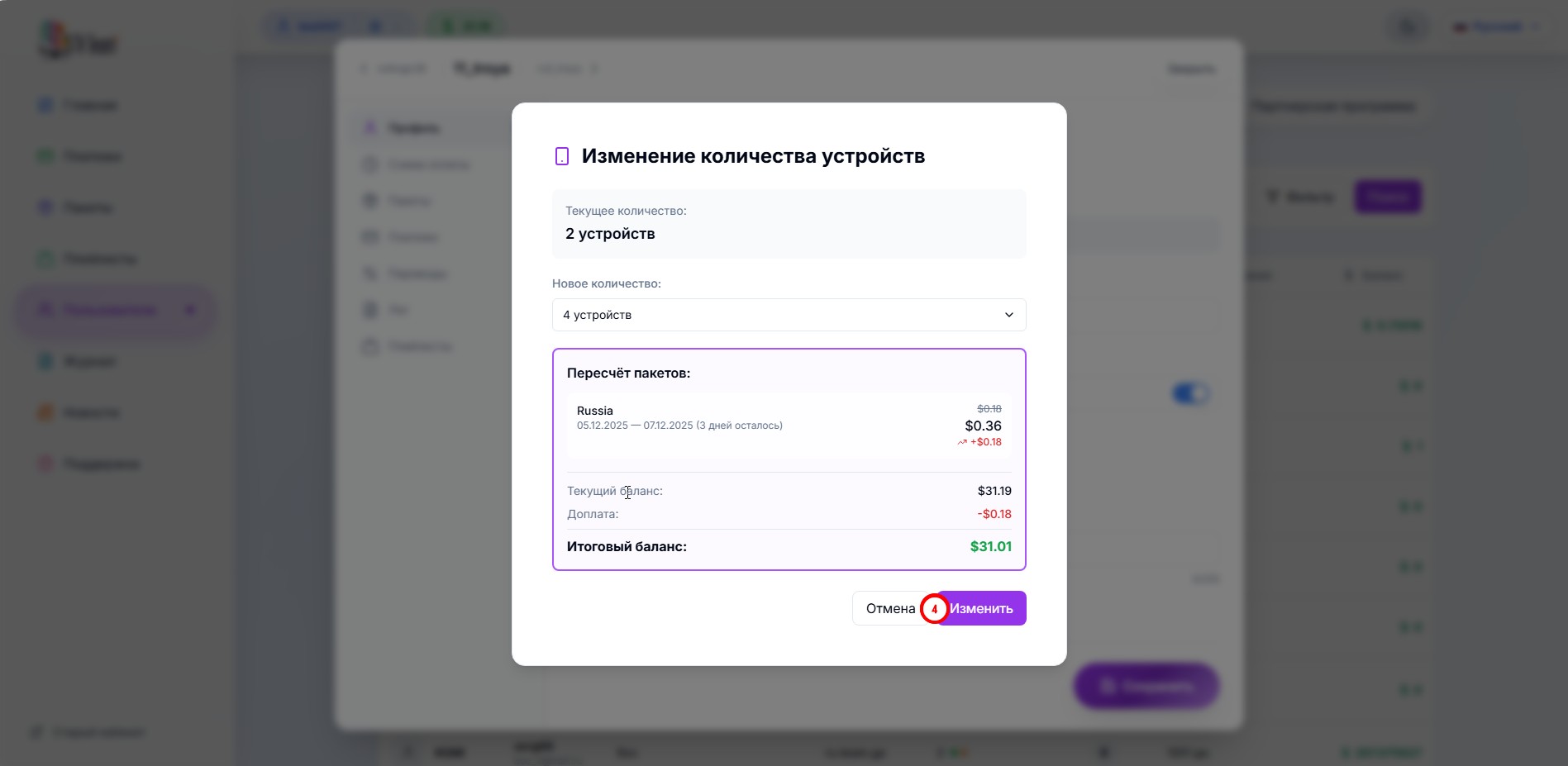
The transition to the next window is automatic. In this window, you are provided with financial information(4) about the operation of changing the number of allowed channels.
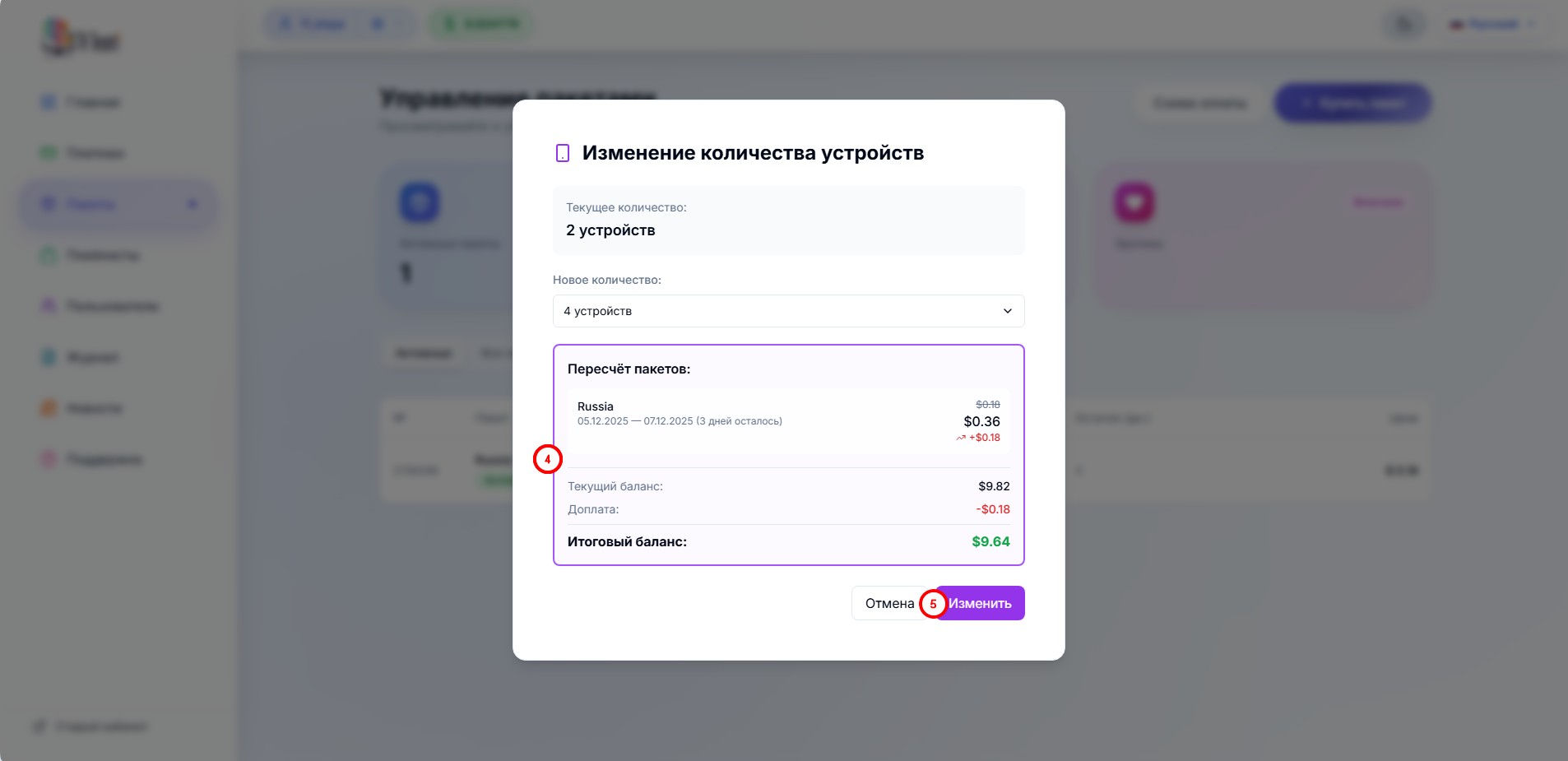
and you are asked to click the Change(5) button.
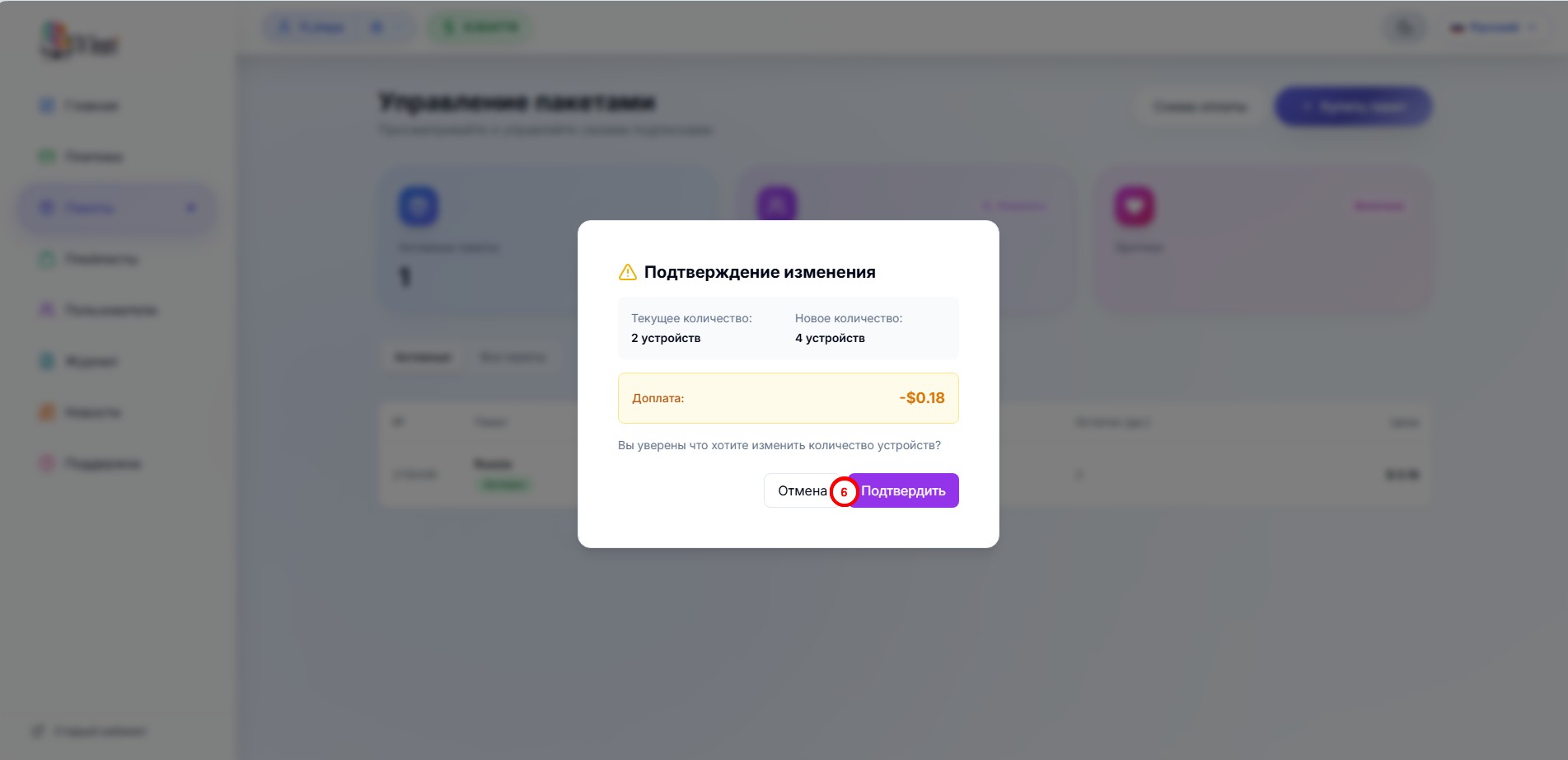
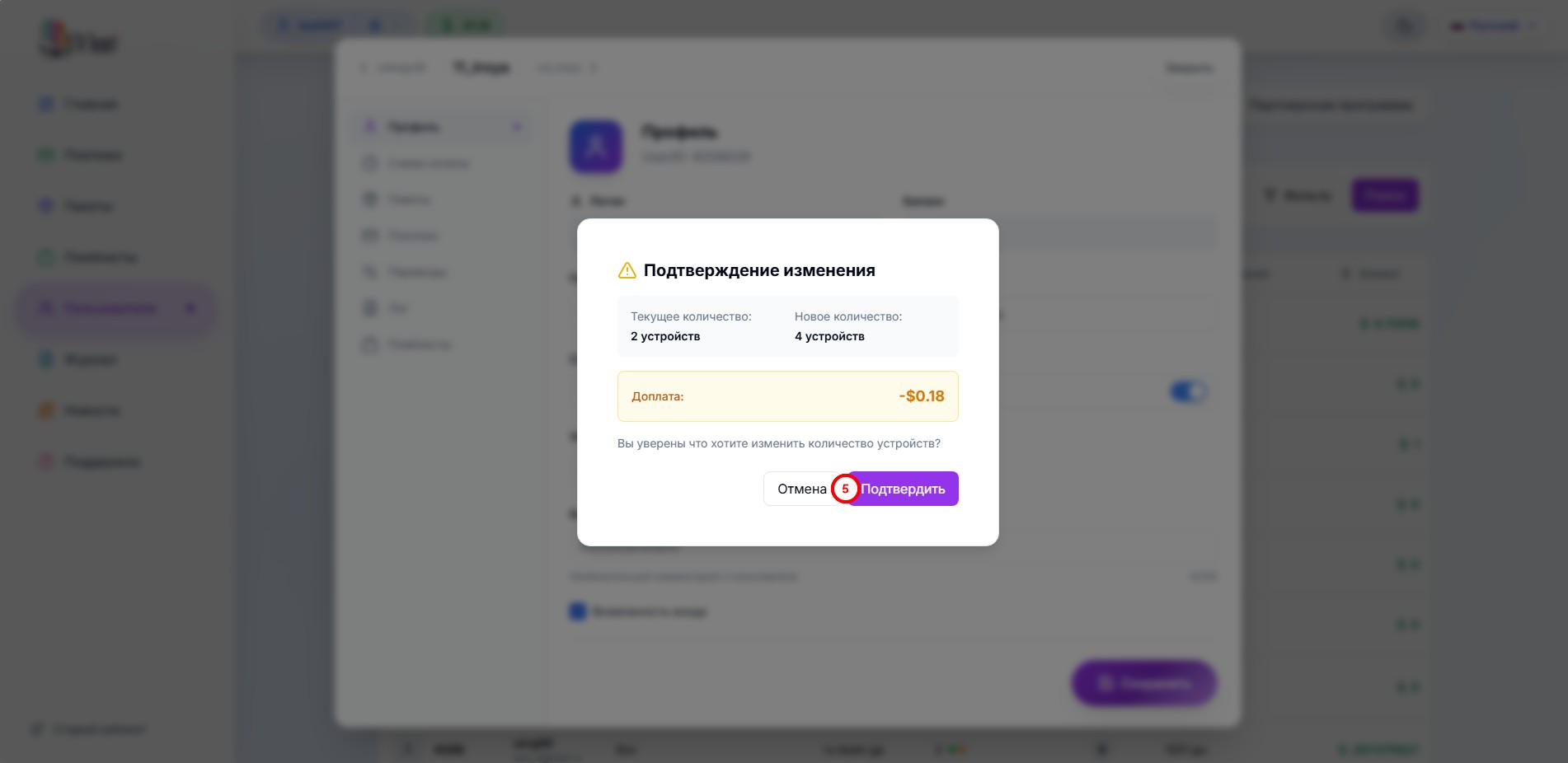
Confirm the action with the Confirm(6) button
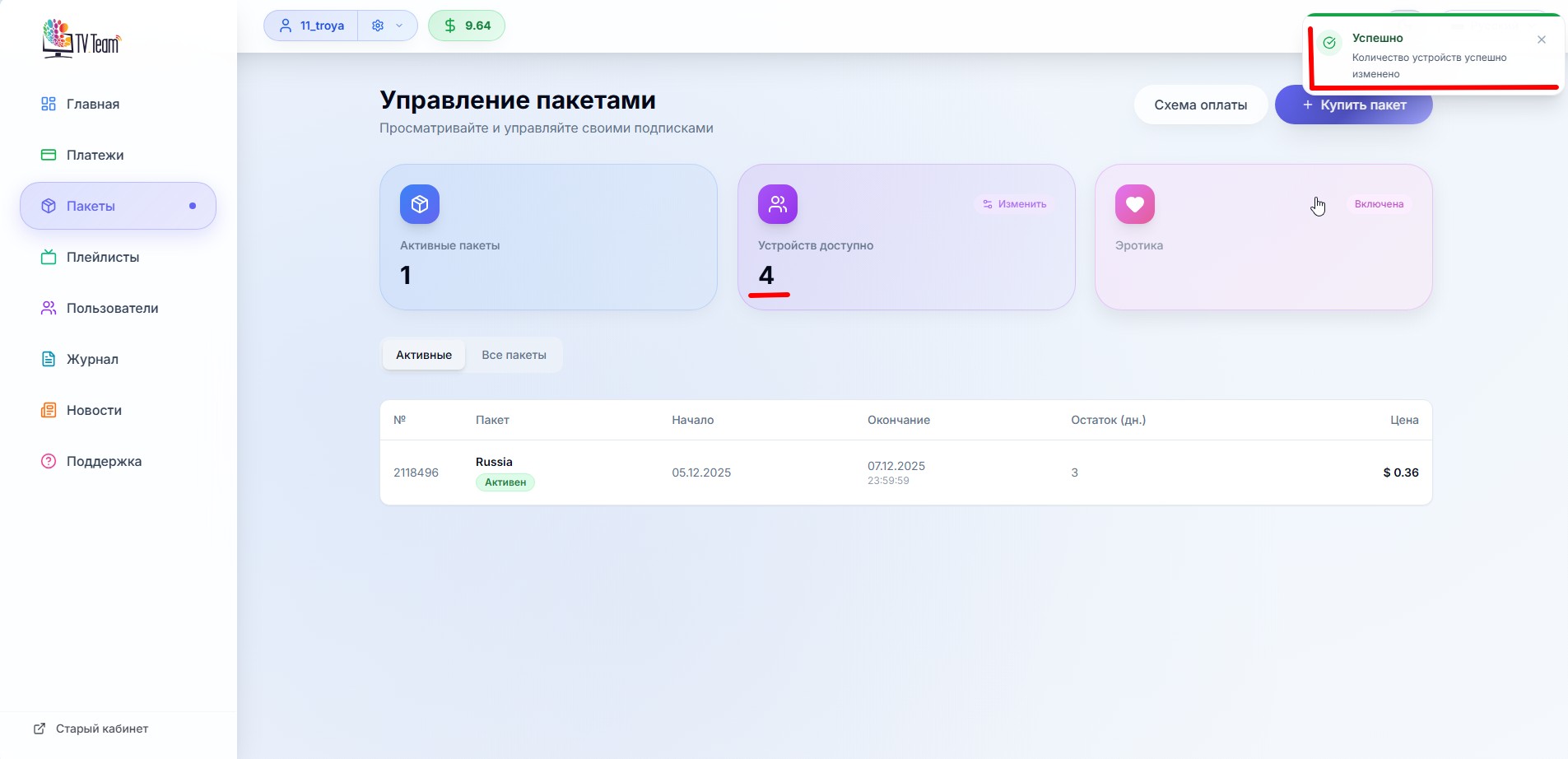
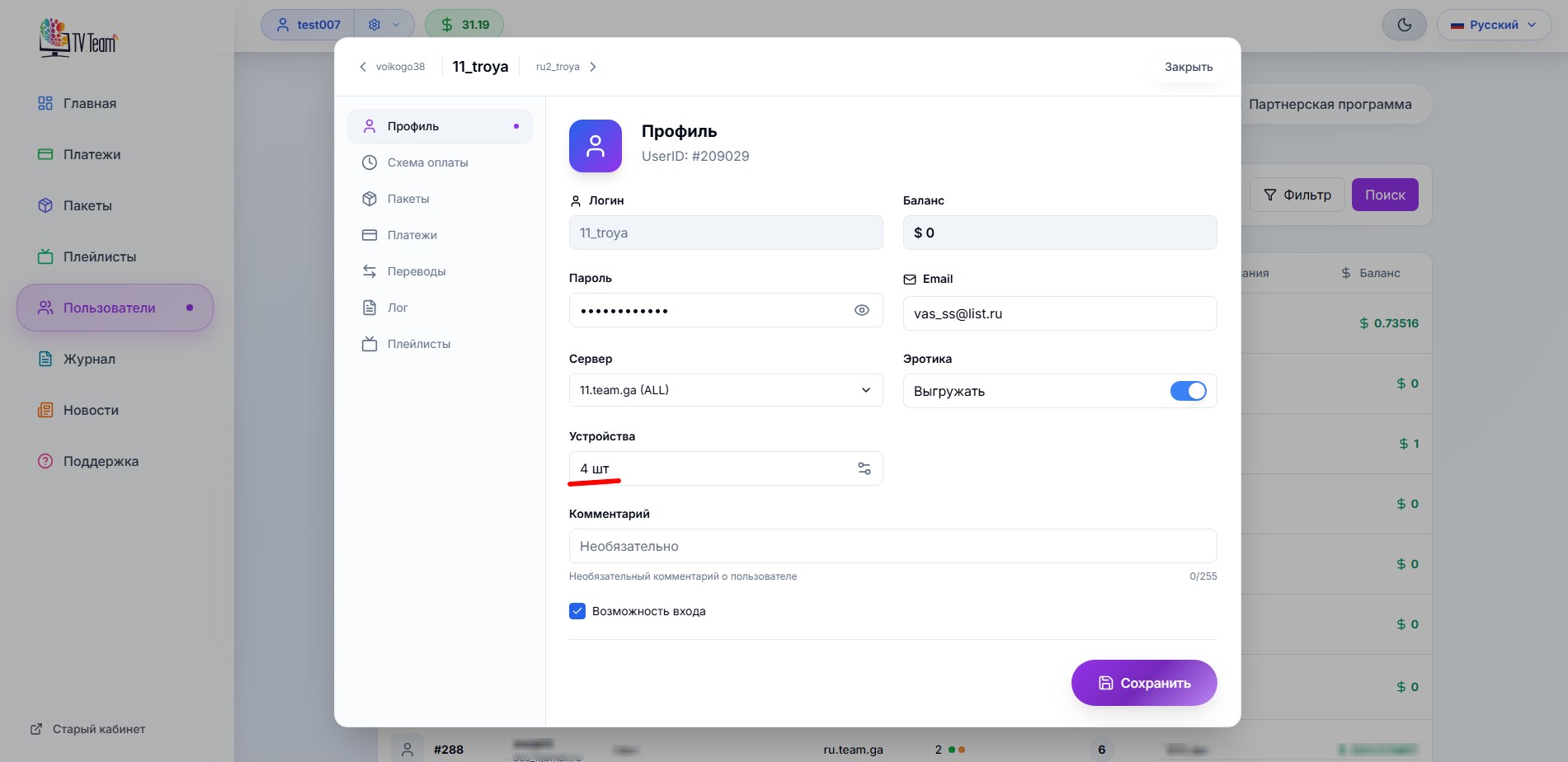
You will be informed about the successful change in the number of channels allowed for simultaneous viewing by a banner in the upper right corner of the dashboard, and you will see that the number of channels has changed.
Here as an example is shown financial information for reducing the number of allowed channels.
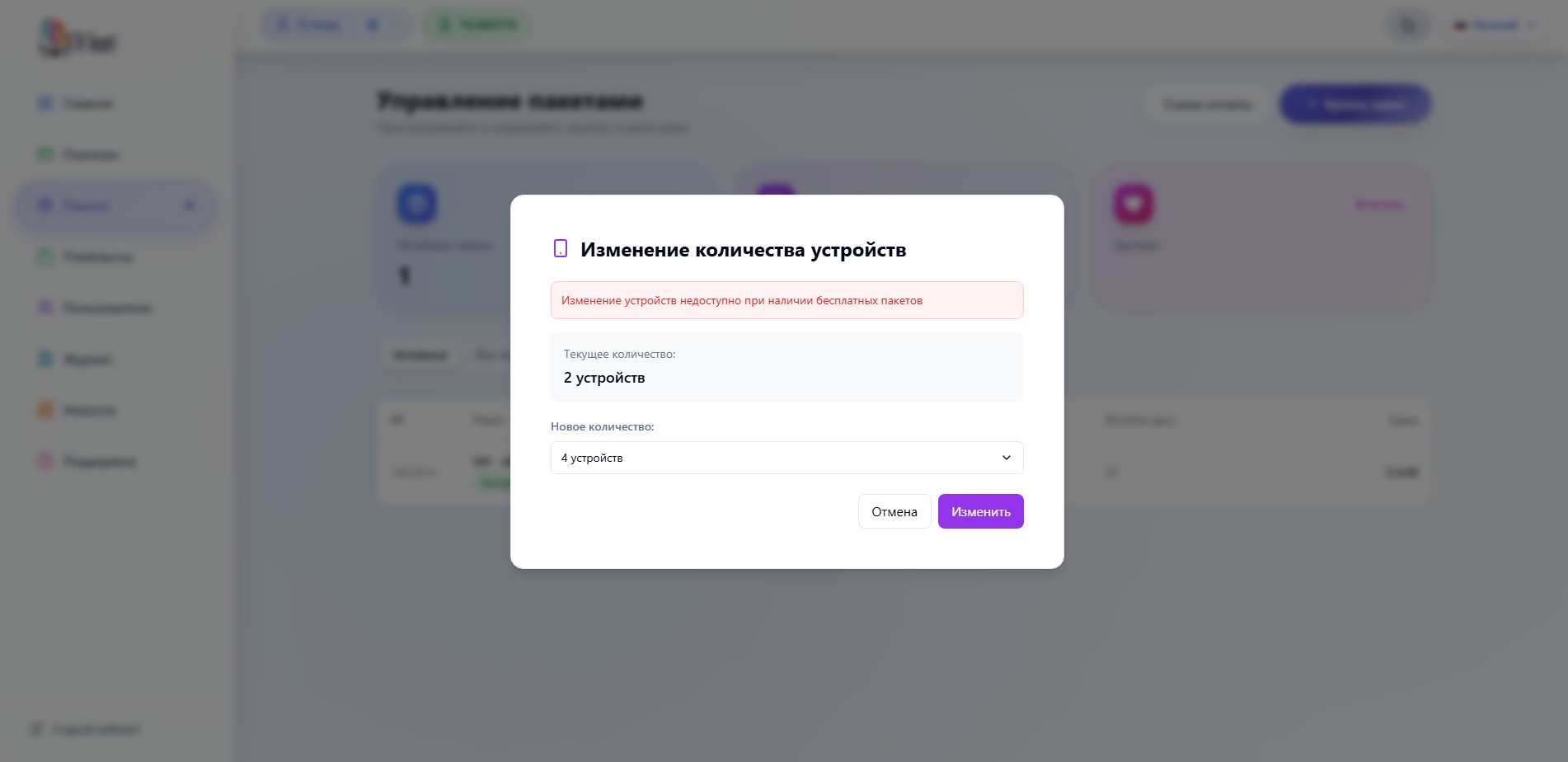
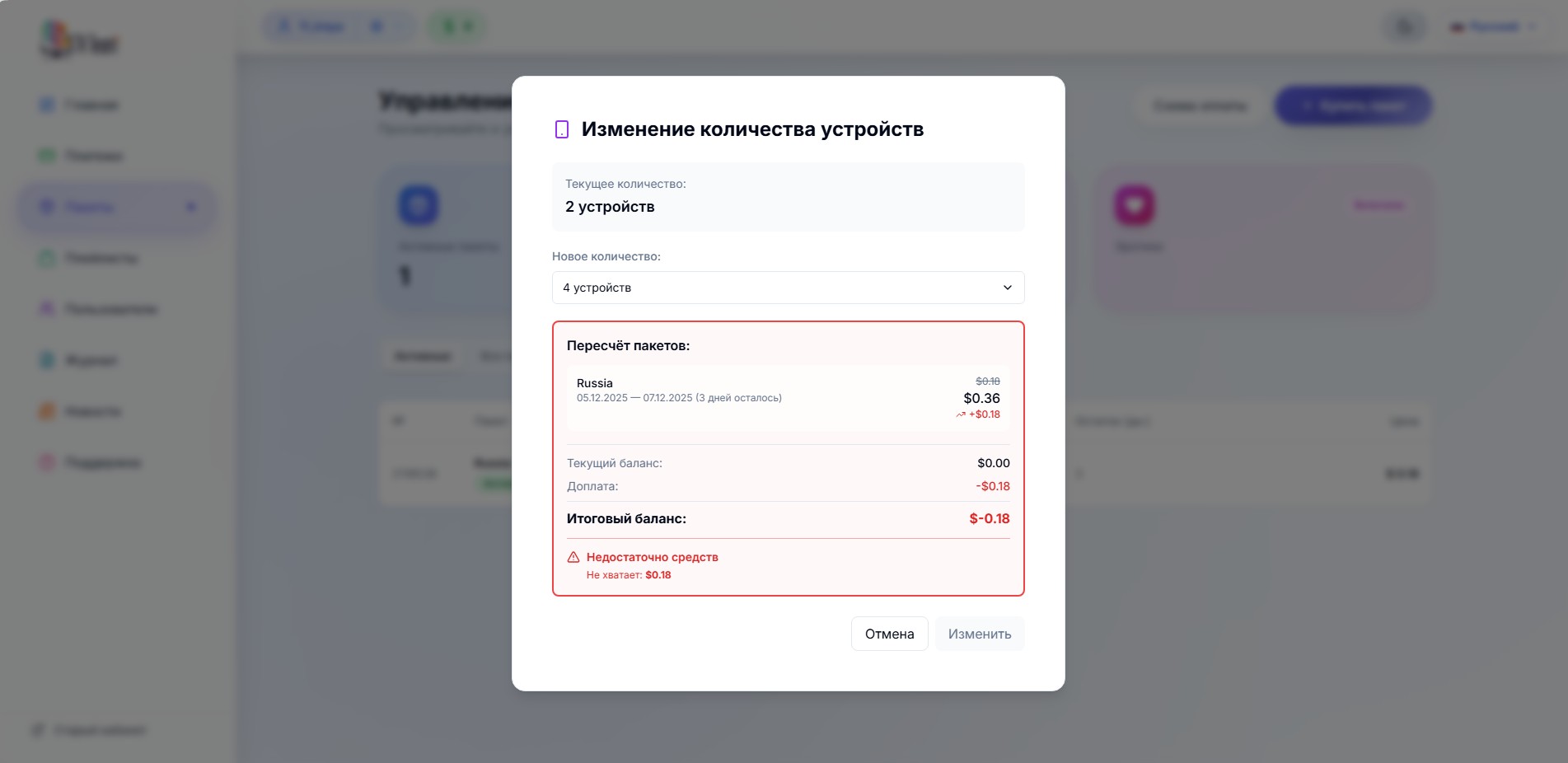
Warning! When increasing the number of allowed channels, the required amount must be in your balance. Otherwise, you will receive a message like this
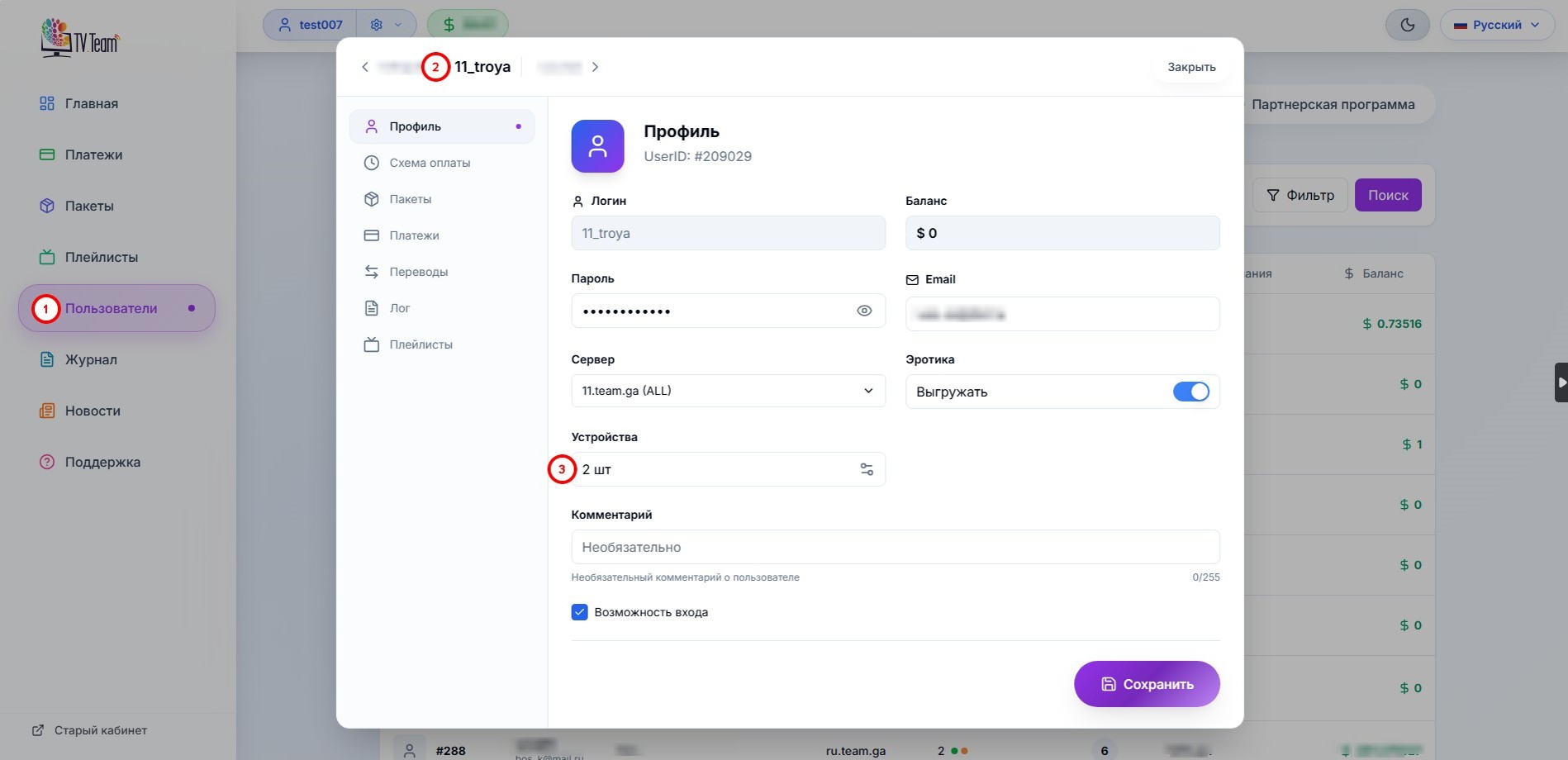
A dealer can also change the number of channels viewed simultaneously by their sub-users. To do this, go to the Sub-users(1) section, select a user(2) and click the button with the number of devices(3).
Money to pay for increasing the number of devices will be debited from the dealer's balance and returned to it when the number of devices is decreased.
It is not possible to increase the number of devices on free packages.